

Emu8086 4.07 is an 8086 (Intel and AMD compatible) microprocessor emulator with integrated 8086 assembler.
The program also includes some tutorials for beginners.
Emu8086 runs programs like a real 8086 microprocessor in step-by-step mode, showing registers, memory, stack, variables and flags. The instructions can be executed in forward or reverse direction.
This emulator is able to create a tiny operating system and write its binary code to a bootable floppy disk. You will then have a complete virtual machine running with only a floppy disk.
Included with Emu8086 come several virtual external devices, like a robot, stepper motor, led display, and traffic lights intersection. This devices can be modified and cloned, their source code is available.
You can design and test your own virtual devices programmed in assembly language (or any other language) with this emulator.
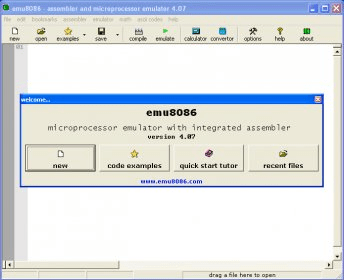
The program opens letting you begin a new project, view some code examples, open the Quick Start Tutor or opening Recent Files.
After programming your application you can compile it, save the binary file and run it.





Comments (3)
Unfortunately, we can't help you resolve your issue as the Emu8086 program has been discontinued by the developer and its web site is not available anymore.